

Modern standalone tablets let artists create anywhere — no laptop required. Here's everything you need to know before buying one in 2026.
Contents
Quick Answer
Yes. Standalone drawing tablets run on their own operating system, display, and processor — so you can create digital art with no computer required, anywhere inspiration finds you.
What Is a Standalone Drawing Tablet?
A standalone drawing tablet is a self-contained creative device — part screen, part computer, part sketchbook. Unlike traditional graphics tablets from brands like Wacom or Huion, which act purely as input peripherals, standalone models need nothing else to operate.
They bundle an operating system, internal storage, a pressure-sensitive stylus, and drawing software into a single portable form. You pick it up, open an app, and draw.
Built-in Display
High-resolution screen built directly into the device.
Pressure-Sensitive Stylus
Pen with tilt recognition for natural drawing control.
Own Operating System
Android, iPadOS, or Windows — fully self-contained.
Internal Storage
Store files, apps, and artwork all on one device.
Drawing Apps Included
Pre-loaded or downloadable drawing applications ready to use.
Wireless & Battery-Powered
Full portability with no cables required.
"Inspiration doesn't wait for a desk. Standalone tablets make sure your tools don't either."
Key Benefits of Drawing Without a Computer
Draw Anywhere
Cafés, commutes, parks — your studio is wherever you are.
Direct-to-Screen
No disconnect between hand and image — draw on the display itself.
Cleaner Setup
One device replaces a tower, monitor, and tablet. Zero cables.
Beginner Ready
Most come with apps and accessories included out of the box.
Passive vs. Standalone Drawing Tablets
Not all drawing tablets are equal. Understanding the difference helps you choose the right tool for how you actually work.
| Feature | Passive Tablet | Standalone Tablet |
|---|---|---|
| Requires a Computer | ✓ Yes | ✗ No |
| Built-in Display | Varies by model | ✓ Always |
| Truly Portable | Limited | ✓ Excellent |
| Draw Anywhere | ✗ No | ✓ Yes |
| Best Suited For | Desktop Workstations | Artists On the Go |
Best Choice for Portability
If portability and convenience are important, a standalone drawing tablet is often the best choice. One device replaces your entire desktop setup.
Best Standalone Drawing Tablets in 2026
PicassoTab X14
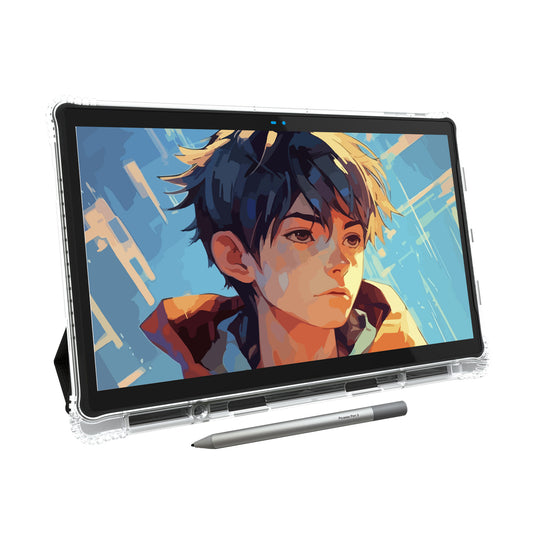
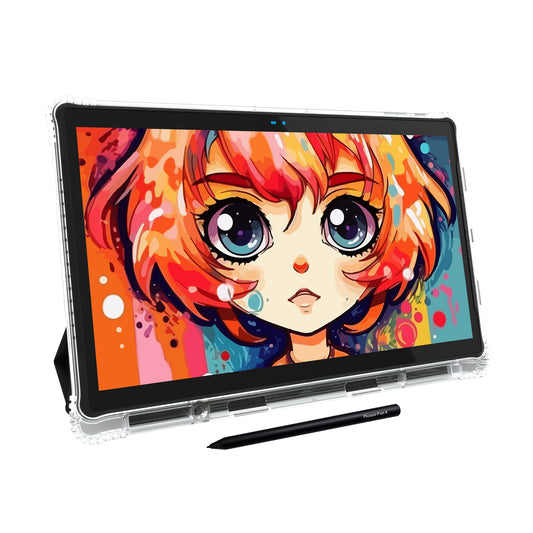
The PicassoTab X14 is the most complete entry point for new digital artists — a large 14.1-inch display, everything included in the box, and zero setup friction. No computer, no additional software purchases required.
Learn more →Apple iPad Pro
For artists who need top-tier display quality and professional applications like Procreate and Adobe Fresco, the iPad Pro remains the benchmark. Apple Pencil Pro support adds precision tilt and barrel roll recognition.
Learn more →Microsoft Surface Pro
Full Windows flexibility means access to any desktop-grade creative software — Photoshop, Clip Studio Paint, Affinity Designer. The Surface Pro is for artists who want professional workflows without being tied to a fixed desk.
Learn more →Samsung Galaxy Tab S11
The S11 combines a beautiful AMOLED display, S Pen support, and a wide library of Android drawing apps in a lighter, more affordable package than iOS or Windows alternatives.
Learn more →How to Choose the Right Tablet
The right standalone tablet depends on your workflow, skill level, and how you prefer to create. Consider these factors before committing:
- Screen size and display resolution
- Stylus pressure sensitivity (4,096+ levels) & ERP pen technology
- Battery life for your typical sessions
- Internal storage capacity
- Software compatibility with apps you already use
- Portability needs — daily carry vs. home studio
- Budget including accessories
If you're new to digital art, a beginner-focused option like the PicassoTab X14 removes most guesswork. If you're migrating a professional workflow, Windows or iPadOS devices offer the broadest software ecosystem.
Helpful Accessories
A few well-chosen accessories extend the experience significantly:
Frequently Asked Questions
Can a drawing tablet really work without a computer? +
Yes. Standalone drawing tablets are specifically designed to operate independently. They include their own processor, display, and operating system, so no laptop or desktop is involved.
What's the best standalone tablet for a complete beginner? +
The PicassoTab X14 is a strong choice — large 14.1-inch screen, drawing apps pre-installed, and beginner accessories included. There's very little setup required to start creating.
Do professional artists use standalone tablets? +
Yes. Many professionals rely on iPad Pro or Microsoft Surface Pro for illustration, concept art, and design work. Both offer access to industry-standard software.
Is the investment worth it over a traditional tablet? +
If portability matters to you, absolutely. A standalone tablet replaces your laptop and drawing tablet in one device, simplifying both your workflow and your bag.
Ready to Draw Anywhere?
Thousands of artists trust PicassoTab for digital illustration, sketching, and creative learning — no computer required.
- ✓ Standalone Android Drawing Tablet
- ✓ Beginner-Friendly Tutorials Included
- ✓ Ready to Use Out of the Box
- ✓ Draw Anywhere Without a Laptop


1 comment
Which is the best stand alone drawing tablet if a parent doesn’t want to allow their child access to the internet?