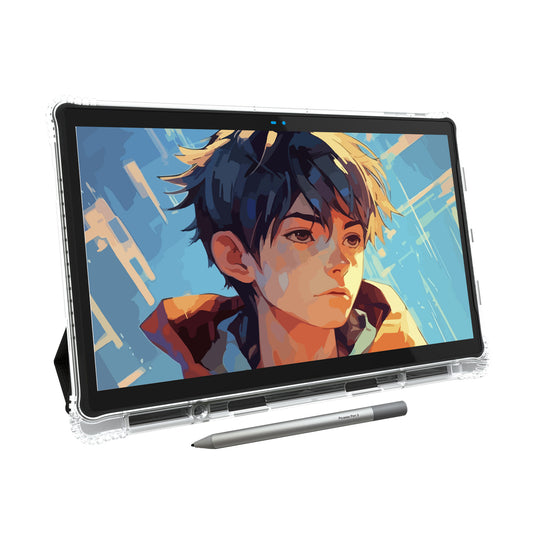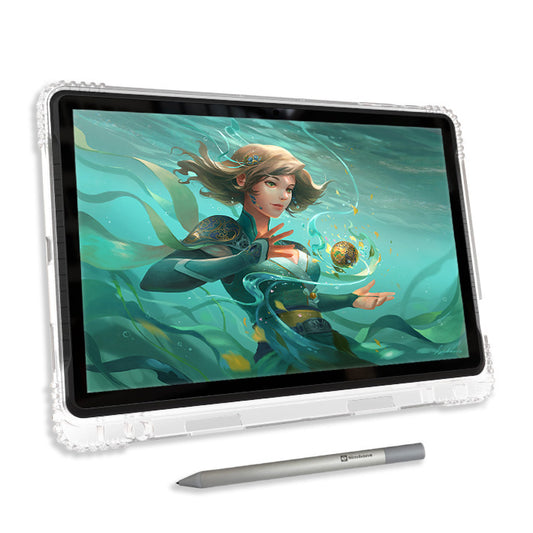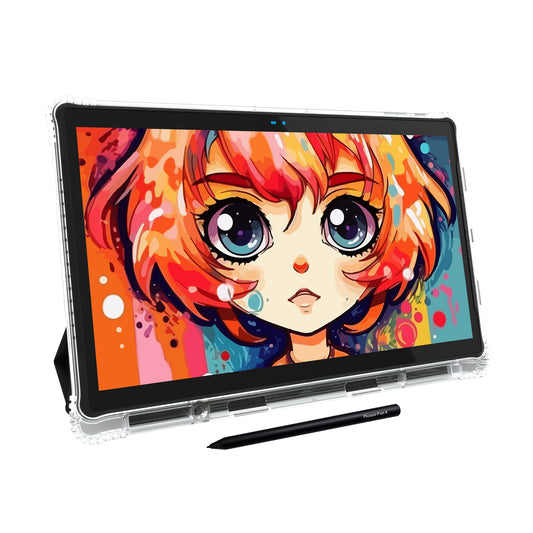

Standalone drawing tablets have transformed digital art by allowing artists to draw anywhere without needing a computer or laptop. Since introducing the first PicassoTab standalone Android drawing tablet in 2012, Simbans has focused on making digital art more accessible for beginners, students, and hobby artists.
Today, artists can choose from many standalone drawing tablets without a computer — including models from Wacom, XP-Pen, Apple, Samsung, Microsoft, and Simbans. Whether you're looking for the best drawing tablet for beginners, students, or professionals, this guide covers the best standalone drawing tablets in 2026 based on price, screen size, operating system, stylus technology, and beginner-friendly features.
What Is a Standalone Drawing Tablet?
A standalone drawing tablet is a portable device that lets you draw directly on the screen without connecting to a computer. Unlike traditional pen displays that require a PC or laptop, standalone tablets include their own operating system, apps, storage, and battery.
These devices are ideal for artists who want a portable and beginner-friendly digital art setup for sketching, painting, note-taking, animation, or creative work on the go. If you want a drawing tablet no laptop needed, a standalone model is the most convenient and portable drawing tablet option available.
✔ No Computer Needed
Create art directly on the tablet anywhere.
✔ Portable for Travel
Lightweight and easy to carry for school, travel, or cafes.
✔ Beginner Friendly
Many models include apps, tutorials, and stylus pens.
What to Consider Before Buying a Standalone Drawing Tablet
Screen Size
Larger screens are better for professional artwork while smaller tablets are easier to carry.
Operating System
Android tablets offer flexibility, iPads offer a premium ecosystem, and Windows tablets support desktop software.
Stylus Type
Battery-free pens are lightweight while battery pens may require charging. Look for tablets with high pressure sensitivity — 4096 or 8192 levels — for more precise strokes and palm rejection for a natural drawing experience.
Included Apps
Some tablets include premium drawing apps and tutorials while others require separate purchases.
All 14 Standalone Drawing Tablets for Different Needs
Compare price, screen size, OS, stylus type, and included apps — find the best affordable drawing tablet for artists or the top professional drawing tablet for your needs.
| Brand | Model | Price | Screen Size | Operating System | Pen Type | Free Upgrade | Drawing Tutorial |
|---|---|---|---|---|---|---|---|
| Wacom | MovinkPad 11 | $499.95 | 11.45″ | Android | ✨ Battery-Free | ibisPaint X, Artwod, and Magma (Trial) | No |
| Wacom | MovinkPad Pro 14 | $1099.95 | 14″ | Android | ✨ Battery-Free | Clip Studio Paint EX (6 months) | No |
| XP-Pen | Magic Drawing Pad | $499.99 | 12.2″ | Android | ✨ Battery-Free | Clip Studio Paint and ibisPaint X (3 months) | No |
| XP-Pen | Magic Note Pad | $439.99 | 10.95″ | Android | ✨ Battery-Free | XPPen Notes app (Lifetime) | No |
| Apple | iPad Pro 11″ | $999.00 | 11″ | iOS | Battery Pen | None | No |
| Apple | iPad Pro 13″ | $1,299.00 | 13″ | iOS | Battery Pen | None | No |
| Samsung | Galaxy Tab S11 | $899.99 | 11″ | Android | ✨ Battery-Free | None | No |
| Samsung | Galaxy Tab S11 Ultra | $1,299.99 | 14.6″ | Android | ✨ Battery-Free | None | No |
| Microsoft | Surface Pro | $1,499.99 | 13″ | Windows | Battery Pen | None | No |
| Simbans | PicassoTab A10 | $239.95 | 10.1″ | Android | Battery Pen | 🎁 Lifetime: Concepts PRO & Artixo VIP | Artixo Tutorials |
| Simbans | PicassoTab X11 | $279.95 | 11″ | Android | Battery Pen | 🎁 Lifetime: Concepts PRO & Artixo VIP | Artixo Tutorials |
| Simbans | PicassoTab A12 | $299.95 | 12″ | Android | Battery Pen | 🎁 Lifetime: Concepts PRO & Artixo VIP | Artixo Tutorials |
| Simbans | PicassoTab X14 | $349.00 | 14.1″ | Android | Battery Pen | 🎁 Lifetime: Concepts PRO & Artixo VIP | Artixo Tutorials |
| Simbans | PicassoTab Z13 | $399.00 | 13.3″ | Android | ✨ Battery-Free | 🎁 Lifetime: Concepts PRO & Artixo VIP | Artixo Tutorials |
Why PicassoTab Stands Out
Since 2017, PicassoTab has helped beginner and hobby artists start digital drawing without the complexity of traditional art setups. PicassoTab tablets are designed to work right out of the box with pre-installed drawing apps, included stylus pens, and beginner-friendly tutorials.
🎨 Beginner-Friendly Setup
Ready to draw immediately without connecting to a computer.
📚 Artixo Tutorials Included
Learn sketching, anime, portraits, painting, and more with guided step-by-step tutorials.
✨ Premium Apps Included
Includes offers for Concepts PRO, Infinite Painter, Artixo VIP, and other creative apps.
Frequently Asked Questions
Are standalone drawing tablets good for beginners?
Yes. Standalone tablets are easier for beginners because they don’t require a separate computer setup.
Can standalone drawing tablets run professional art apps?
Many standalone tablets support apps like Clip Studio Paint, Concepts, Infinite Painter, ibisPaint X, and SketchBook.
Is PicassoTab good for beginners?
PicassoTab tablets are designed specifically for beginners and hobby artists with included apps and Artixo tutorials.
What is the best drawing tablet for digital art under $300?
The Simbans PicassoTab A10 ($219.95) and PicassoTab X11 ($239.95) are excellent drawing tablets under $300, offering Android OS, included drawing apps, and Artixo tutorials — ideal for beginners and students.
What's the difference between an Android drawing tablet and an iPad for drawing?
An Android drawing tablet offers more flexibility and lower price points, while an iPad offers a premium ecosystem with the Apple Pencil. Both are solid drawing tablets for digital artists, depending on your budget and preferred apps.
Final Thoughts
The best standalone drawing tablet depends on your experience level, creative goals, and budget. Premium devices like the iPad Pro and Wacom MovinkPad offer advanced ecosystems for professional artists, while PicassoTab provides one of the most beginner-friendly and affordable standalone drawing experiences available today.
With included drawing apps, guided Artixo tutorials, and a ready-to-draw setup with no computer needed, PicassoTab remains one of the most beginner-friendly and affordable standalone drawing tablets for artists who want to start creating right away. It's a top pick among drawing tablets for students and hobbyists in 2026.