
Both can produce incredible artwork — but they're built with entirely different priorities in mind. Here's how to know which one belongs in your bag.
Contents
Quick Answer
If you want a device that does everything — work, entertainment, and drawing — the iPad Pro is hard to beat. If drawing is your primary purpose, a dedicated standalone tablet like the PicassoTab Z13 offers purpose-built advantages: battery-free EMR pen, higher pressure sensitivity, and a laminated display designed around the act of creating.
Understanding the Different Types of Drawing Tablets
Before comparing the iPad Pro with dedicated drawing tablets, it's worth understanding the three main categories available today.
Pen Displays
Pen displays are drawing monitors that connect directly to a computer. You draw on the screen while your software runs on a PC or Mac. This setup remains a favorite among professional illustrators, designers, and animation studios because it provides access to powerful desktop applications while allowing artists to draw directly on the display. Popular examples include the Wacom Cintiq, Huion Kamvas, and XP-Pen Artist series.
Drawing Pads
Drawing pads — also known as graphics tablets — don't include a screen. Instead, you draw on the tablet's surface while looking at a separate monitor. While this takes some practice, drawing pads remain popular because they're lightweight, affordable, and highly reliable. Many artists begin their digital art journey with a drawing pad before moving on to a display-based solution.
Standalone Drawing Tablets
Standalone drawing tablets combine everything into a single device — display, processor, operating system, and drawing technology — allowing artists to work without connecting to a computer. This category includes devices such as the iPad Pro and the latest PicassoTab series. For artists who value portability and the freedom to draw anywhere, standalone tablets have become an increasingly attractive option.
Why So Many Artists Choose the iPad Pro
There's a reason the iPad Pro appears in countless "best drawing tablet" lists. The combination of Apple's hardware, the Apple Pencil, and creative apps like Procreate creates a smooth and enjoyable drawing experience. Whether you're sketching ideas in a coffee shop or refining illustrations on a flight, the iPad Pro offers a level of convenience that's difficult to ignore.
The display is bright and responsive, the latency is impressively low, and the overall experience feels polished.
But it's important to remember that the iPad Pro wasn't designed exclusively for artists. It's a premium all-purpose tablet that also happens to be excellent for drawing — and that distinction becomes important when comparing it with dedicated drawing tablets built specifically around artists' needs.
The Rise of Artist-Focused Standalone Tablets
As digital art continues to grow in popularity, manufacturers have begun creating standalone tablets designed specifically for drawing rather than general productivity.
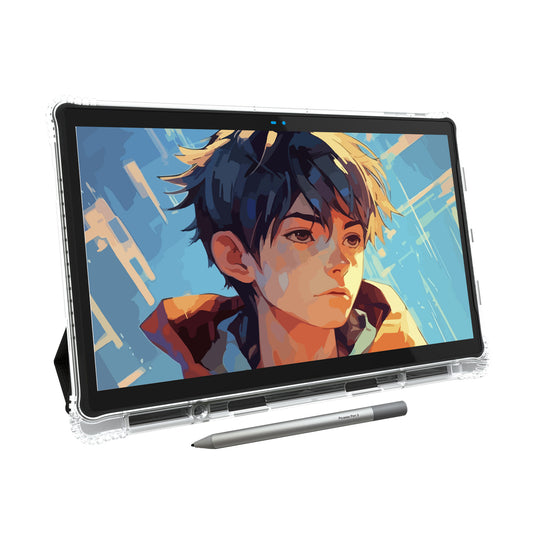
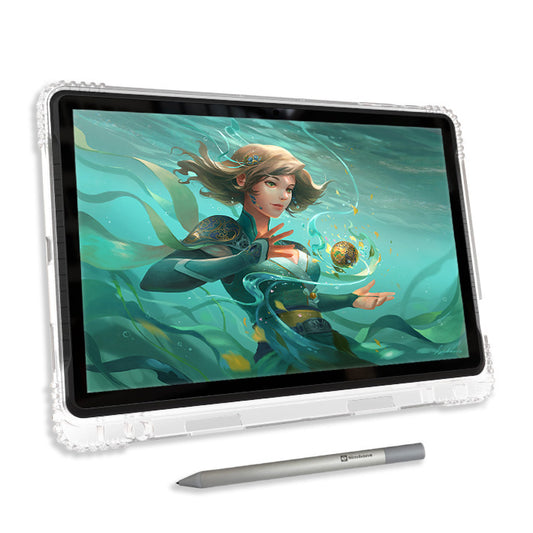
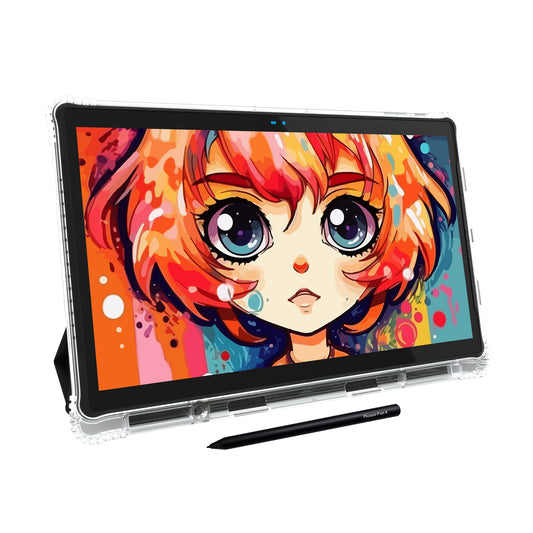
One of the newest examples is the PicassoTab Z13, Simbans' flagship standalone drawing tablet released in 2026. Unlike a traditional tablet that balances entertainment, productivity, and creative work, the Z13 is built with artists in mind from the ground up.
The Z13 features a fully laminated display that reduces the gap between the pen tip and the screen, creating a more natural drawing experience with improved accuracy. More importantly, it introduces Simbans' latest Pen Pro technology powered by EMR (Electro-Magnetic Resonance).
EMR vs Apple Pencil: What's the Difference?
One of the biggest differences between the iPad Pro and a dedicated drawing tablet like the PicassoTab Z13 comes down to pen technology.
Apple Pencil
Uses an active battery-powered design. Delivers excellent responsiveness and precision, making it one of the best styluses available for mainstream tablets. Requires charging.
EMR Pen Pro
The stylus receives power directly from the tablet's display layer. That means no battery, no charging, no interruptions during long drawing sessions — consistent performance over time.
Pressure Sensitivity: Does It Matter?
Pressure sensitivity determines how accurately a tablet responds to changes in pen pressure. Light strokes create thin lines; heavier pressure creates thicker and darker marks. While beginners may not immediately notice the difference, experienced artists appreciate the additional precision when working with brush dynamics, shading, and line variation.
PicassoTab Z13 vs iPad Pro: Which Is Better for Artists?
The answer depends on what role the device will play in your daily life.
| Feature | iPad Pro | PicassoTab Z13 |
|---|---|---|
| Primary Purpose | All-purpose tablet | Drawing-first device |
| Pen Technology | Apple Pencil (battery-powered) | EMR Pen Pro (battery-free) |
| Pressure Sensitivity | ~4,096 levels | 8,192 levels |
| Display | Excellent, general-purpose | Fully laminated, drawing-optimised |
| App Ecosystem | Procreate, Adobe Fresco, and more | Android drawing apps |
| Best For | Work + entertainment + drawing | Artists who draw first |
Bottom Line
If your primary goal is creating art, a dedicated drawing tablet offers advantages that general-purpose tablets simply aren't designed around. With its laminated display, battery-free EMR Pen Pro, and 8,192 levels of pressure sensitivity, the PicassoTab Z13 focuses on the drawing experience first.
Final Thoughts
The iPad Pro has earned its reputation as one of the most versatile creative devices ever made. It remains an excellent choice for artists who want a tablet capable of handling virtually everything.
At the same time, dedicated drawing tablets continue to push the boundaries of what digital artists can expect from a portable device. The PicassoTab Z13 represents that next step — combining a standalone design with professional EMR pen technology, a laminated display, and features tailored specifically for creators.
The best drawing tablet is the one that disappears into your process — the one you stop thinking about because it just works.
Ready to Find Your Perfect Drawing Tablet?
PicassoTab is built around how artists actually work — not how everyone else does.
- ✓ Draw for hours without once thinking about your pen battery
- ✓ A display that responds where your pen actually touches
- ✓ Pick it up and draw — no computer, no setup, no cables